Connect external accounts to Primary
Last updated: September 29, 2026
Before you start
You need permission to manage external accounts. Administrators have this by default. If you cannot see the Link an account button, or you see a message asking you to contact your organisation's administrator, ask an admin to link the account or to grant you the permission.
Australian banks connect through Skript using the Consumer Data Right. Skript needs your first name, last name and mobile number on your Primary profile. You will be prompted to add them before you can continue.
Connect an account
Go to Accounts and click Link an account. You can also get here from the Overview page, or from Manage connections by clicking Connect an account.
Search by bank name, or use the Country filter. You can also pick from My banks, Popular globally, Popular in Australia or Popular in the United States.
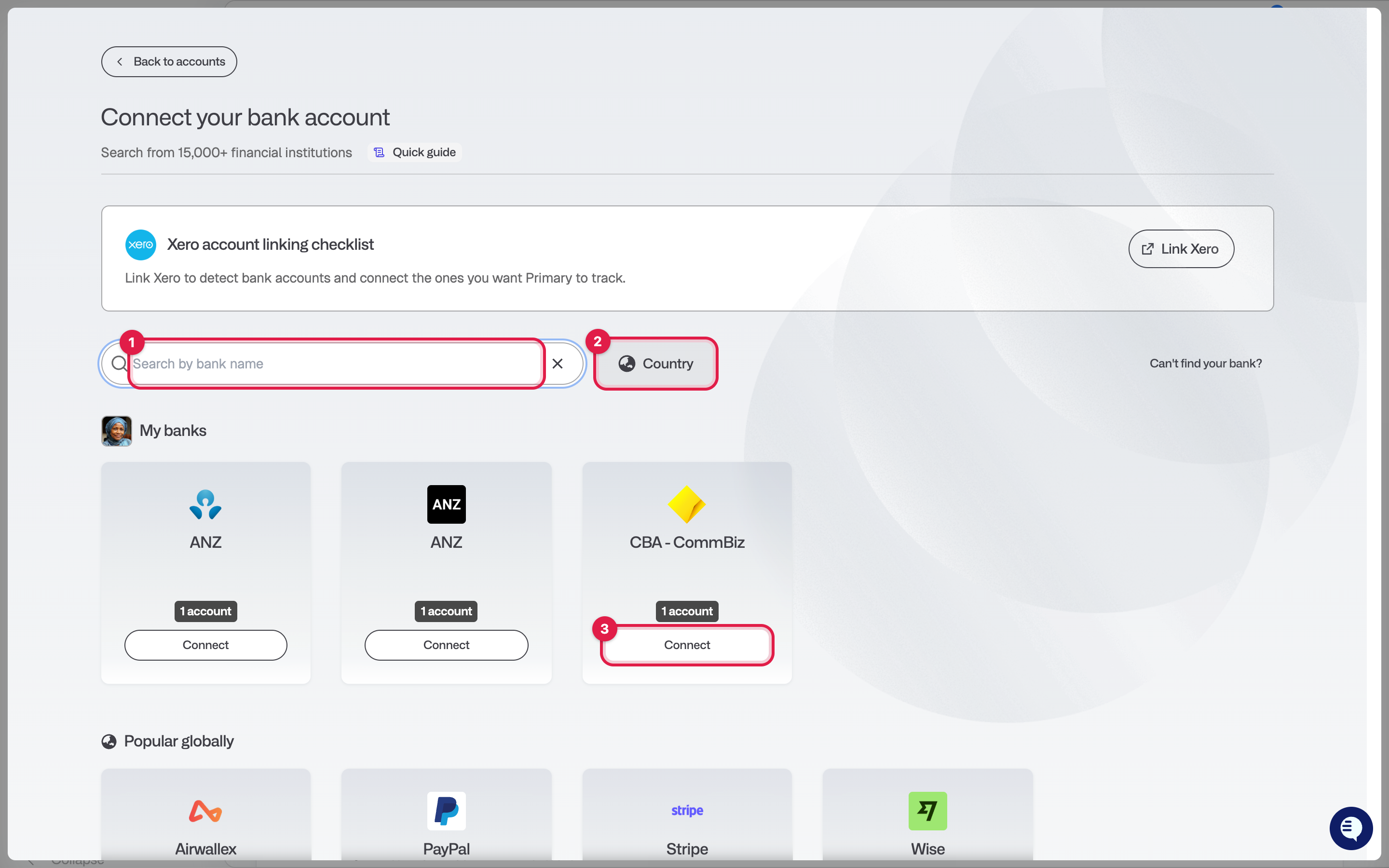
Click Connect next to the institution. For most banks you will see a Before you connect screen with anything you need to know about that bank first. Read it, ensure you've completed the pre-connection steps, then click Go to the provider.
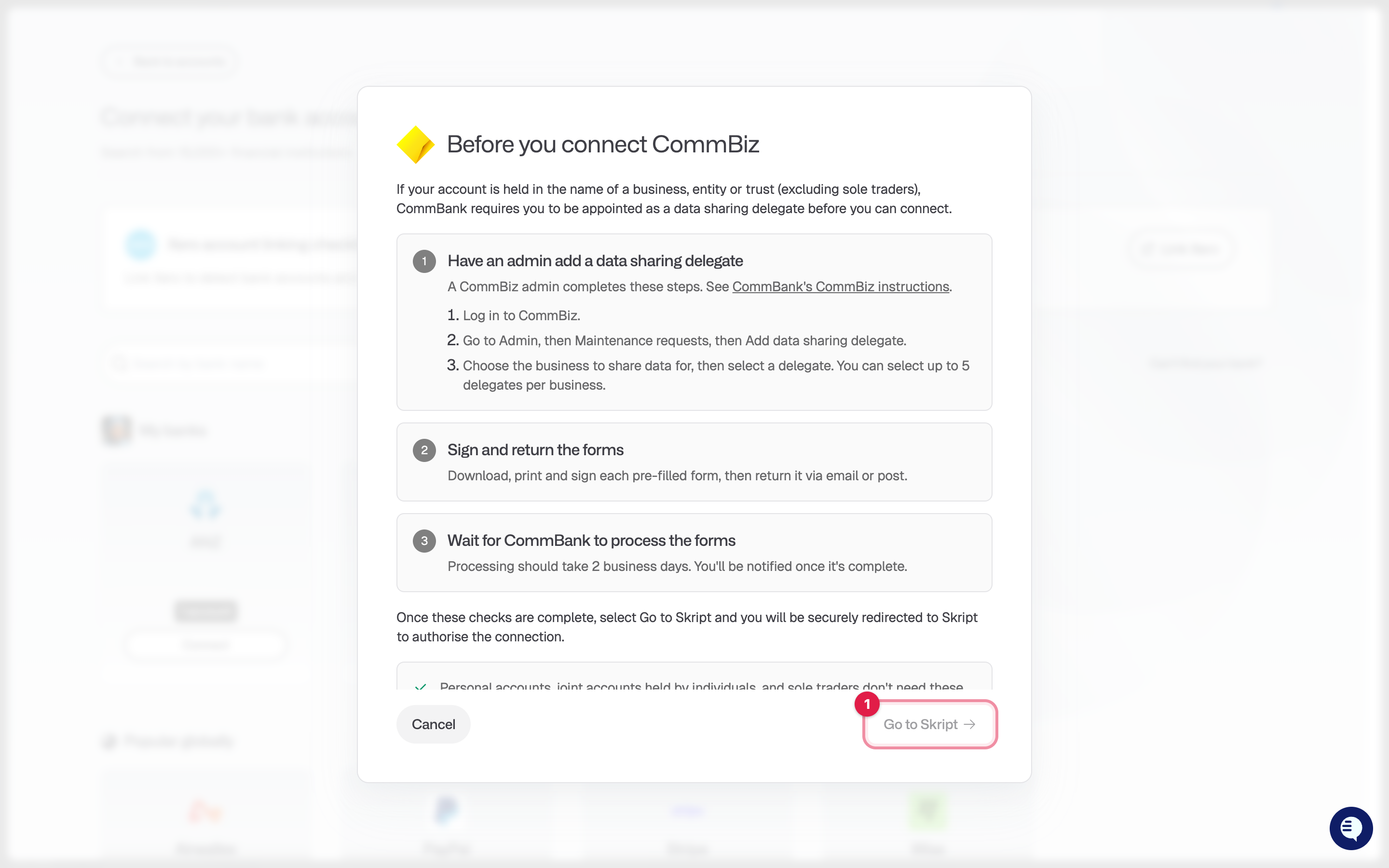
Complete the connection with the provider. The flow depends on the institution:
Australian banks connect through Skript. You will give consent to share your account data under the Consumer Data Right. If your profile is missing a name or mobile number, click Update my details first.
New Zealand banks connect through Akahu. Log in to your bank through Akahu and choose the accounts to share.
US and international banks connect through Plaid, Quiltt or Salt Edge, depending on the bank.
Stripe, Brex, Mercury and Ramp are direct connections managed by Primary. Sign in to the provider and approve access.
Airwallex needs a read only API key. See Generating an Airwallex API key for use with Primary.
Xero has its own linking checklist inside the dialog. Complete it, then click Link Xero.
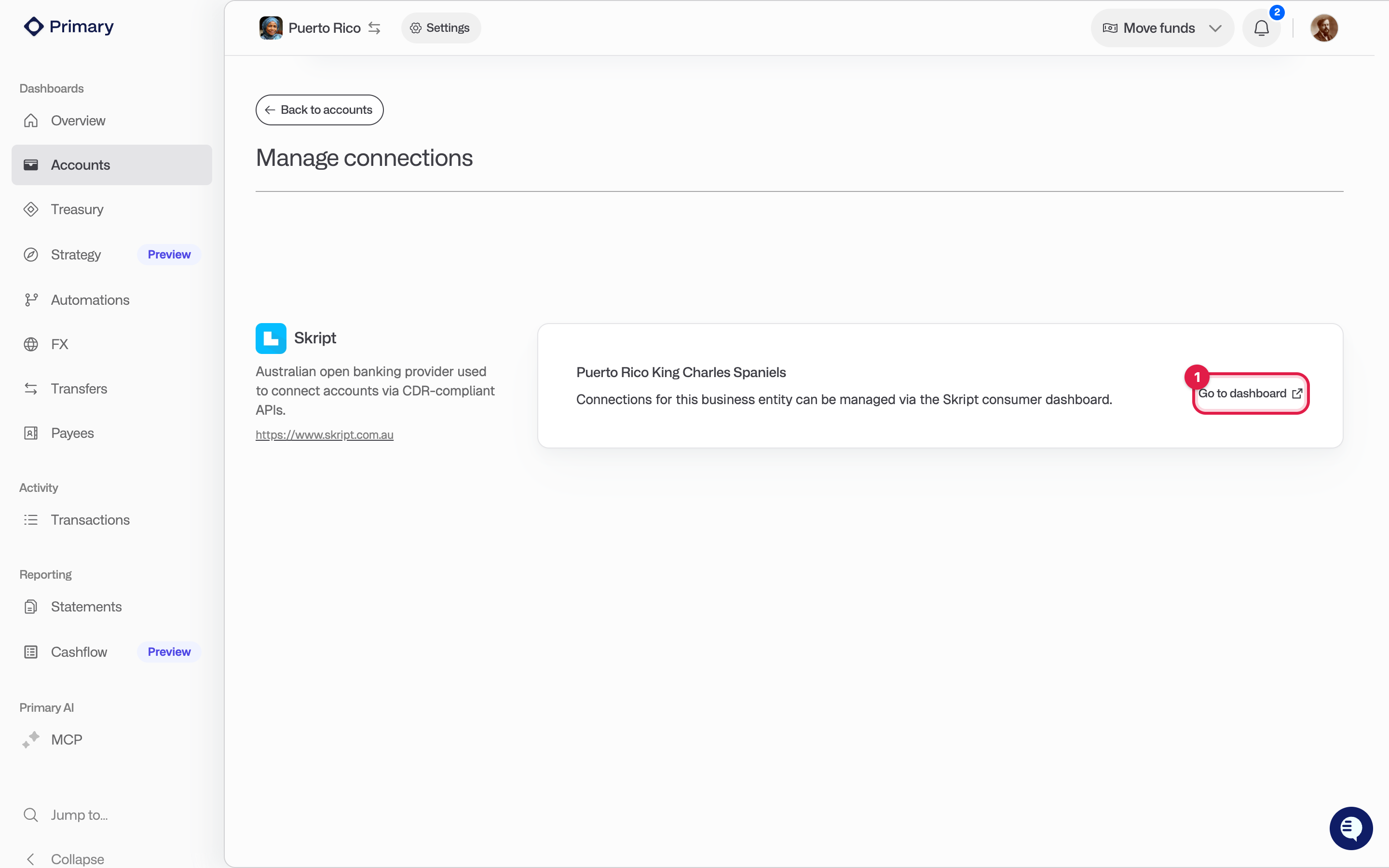
When the provider hands you back to Primary, you land on Manage connections. If your organisation has more than one business entity, assign each new account to the right one.
Open the account from the Accounts page and check that the balance and recent transactions have synced.
If your bank isn't listed: Click Can't find your bank? in the dialog and tell us which institution you need. For accounts we cannot connect yet, you can also choose Track a balance manually.
Manage your connections
Go to Accounts, then Manage connections. There are two tabs:
Accounts lists every connected account, its business entity and its sync status.
Data integrations lists each provider your organisation is connected through. From here you can revoke access to a provider, update your Airwallex keys, or open the Skript consumer dashboard to review your consents.
If an account needs to be reconnected, you will see a badge on Accounts in the left navigation and a prompt on the account.
Remove an account
You can remove a single account in two places:
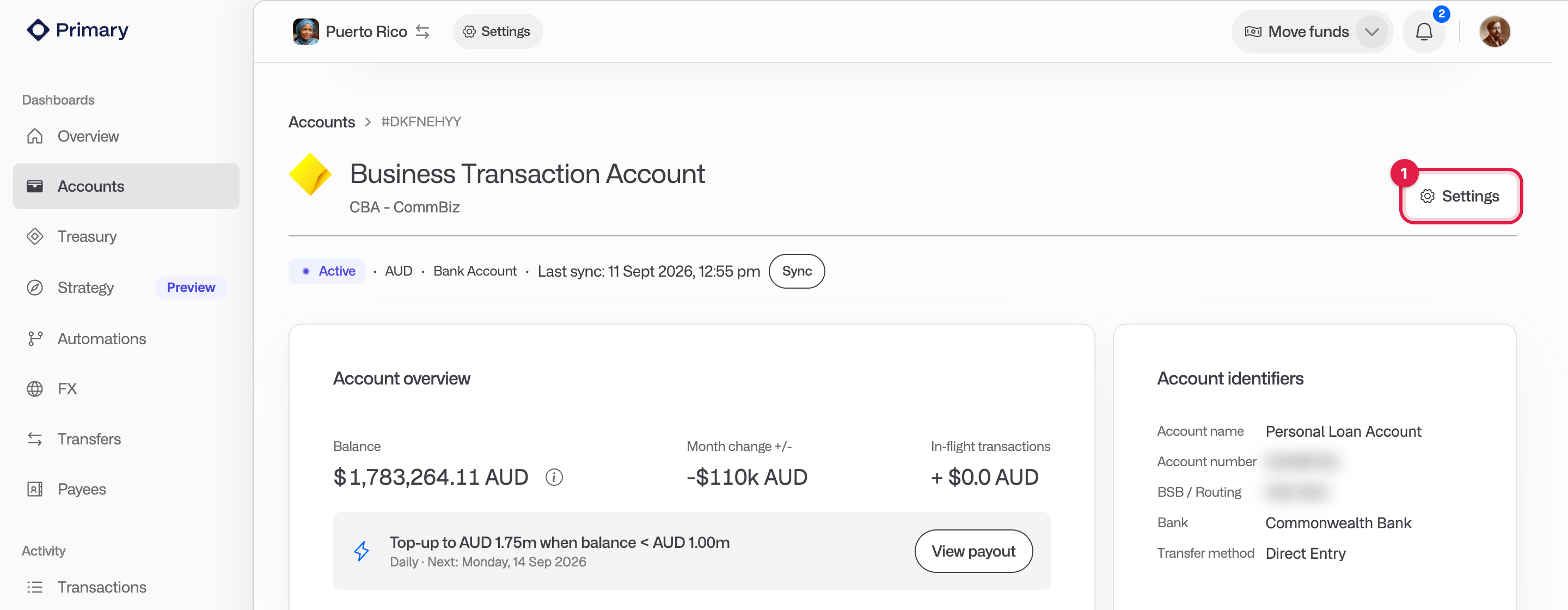
Open the account, click the Settings button (the gear icon in the top right), then click Unlink account.
Go to Accounts, then Manage connections. On the Accounts tab, open the menu at the end of the row and click Remove account.
In the confirmation dialog, type the account identifier shown (the BSB and account number for Australian accounts, otherwise the account name), then click Disconnect.
To remove every account from one provider at once, go to the Data integrations tab and click Revoke access for that provider.