Depositing funds in Primary
Last updated: September 29, 2026
Making a deposit
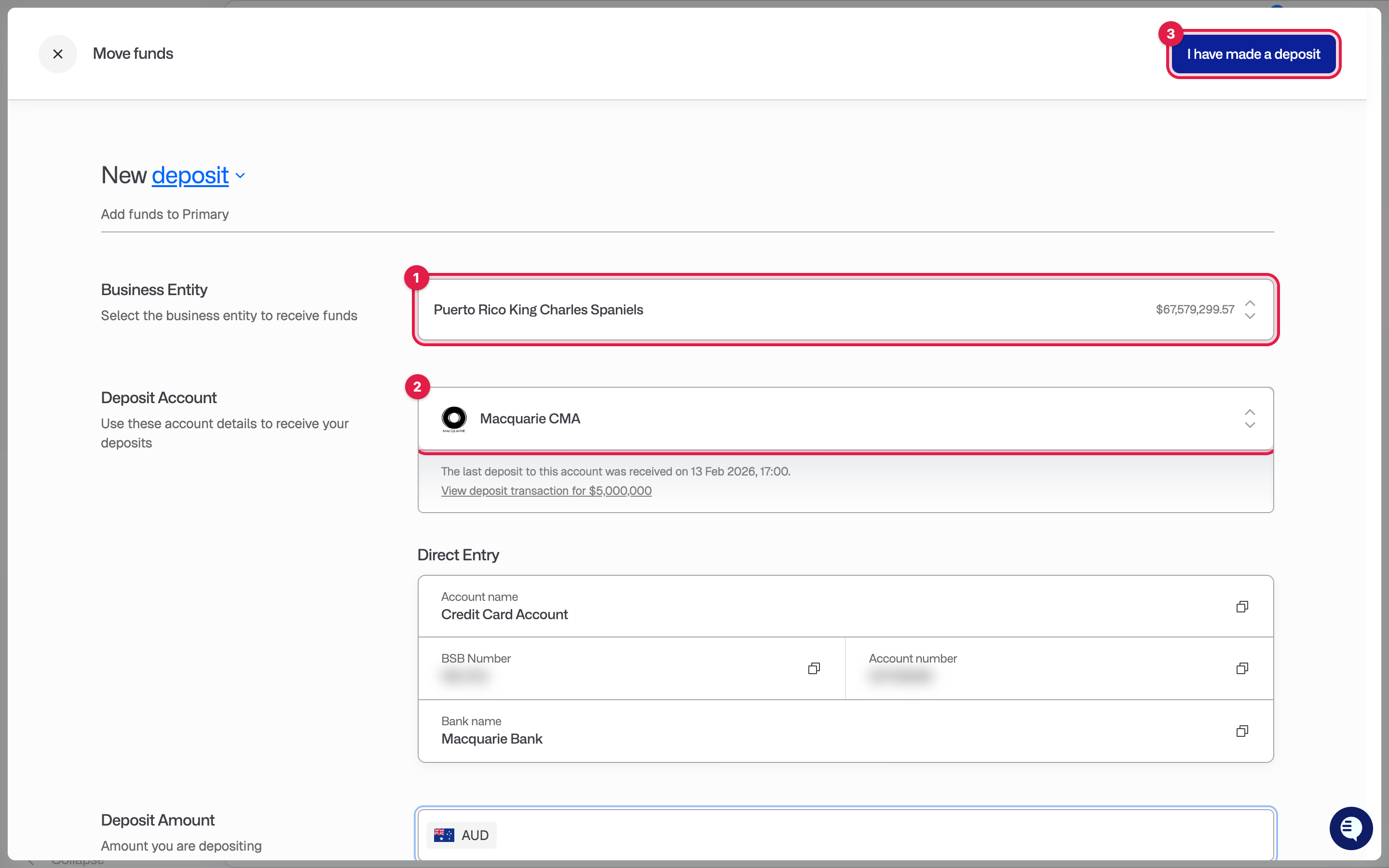
On the Overview page click Deposit funds. You can also click Move funds in the top bar and choose Deposit.
Choose the Business Entity and the Deposit Account. For AUD this is normally your Macquarie CMA. The account details to pay into are shown on screen: account name, BSB and account number, and a PayID where available. For other currencies, pick the account from the dropdown and the details for that account are shown instead.
Make the payment from your bank. If the screen shows a payment reference, include it exactly. Some accounts cannot match your deposit without it.
Come back to Primary and click I have made a deposit. This lets our operations team know to watch for the funds. If you are depositing straight into a money market fund, this step is required so we can place the trade once the money lands.
Once the funds arrive, go to Accounts, open the account you paid into, and check the Transactions tab. The deposit is listed as Deposit Received. The deposit screen also shows the date of the last deposit into each account.
Deposits into the Macquarie CMA usually arrive the same or next business day. Deposits into funds and international accounts can take longer.