How to use Treasury
Last updated: September 29, 2026
What is Treasury?
Treasury is the home for the investment accounts Primary manages for you: money market funds, term deposits, notice accounts and the Macquarie CMA Accelerator. Use it to see yield and liquidity across those accounts, move cash between them, and keep an eye on withdrawals in progress.
Treasury has two tabs:
Accounts lists your Treasury accounts. Switch between the Yield view and the Liquidity view to see rates or how quickly you can access each balance.
Schedule shows an estimated balance forecast, your weighted yield return, and how much of your cash is accessible within 7 days.
How do I get cash into Primary?
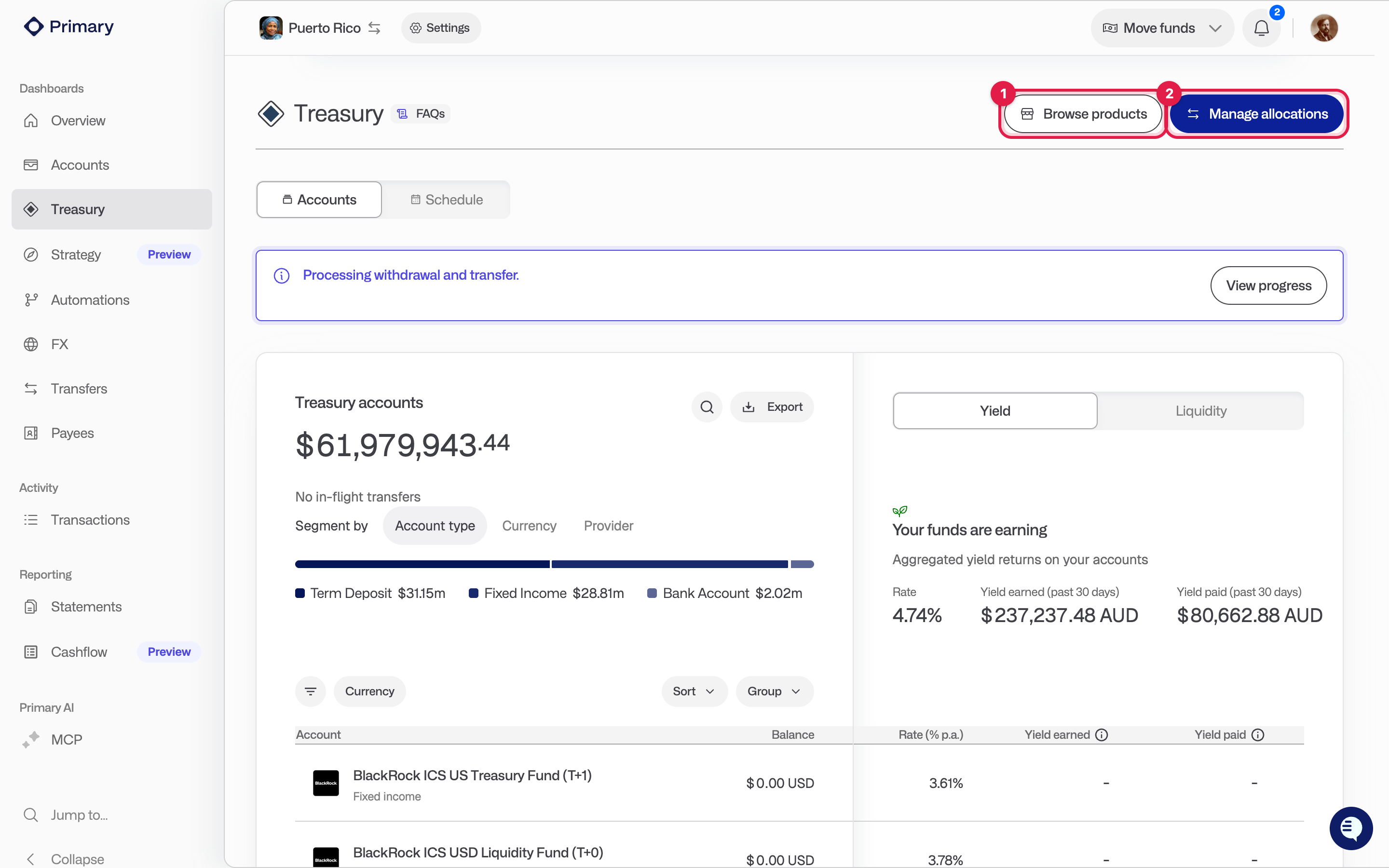
Click Deposit funds on the Overview page, or click Move funds in the top bar and choose Deposit. Pick the business entity and the deposit account, and the account details to pay into are shown on screen. After you have sent the money, click I have made a deposit so our operations team knows to watch for it. See Making your first deposit in Primary for the full steps.
How do I open a new Treasury account?
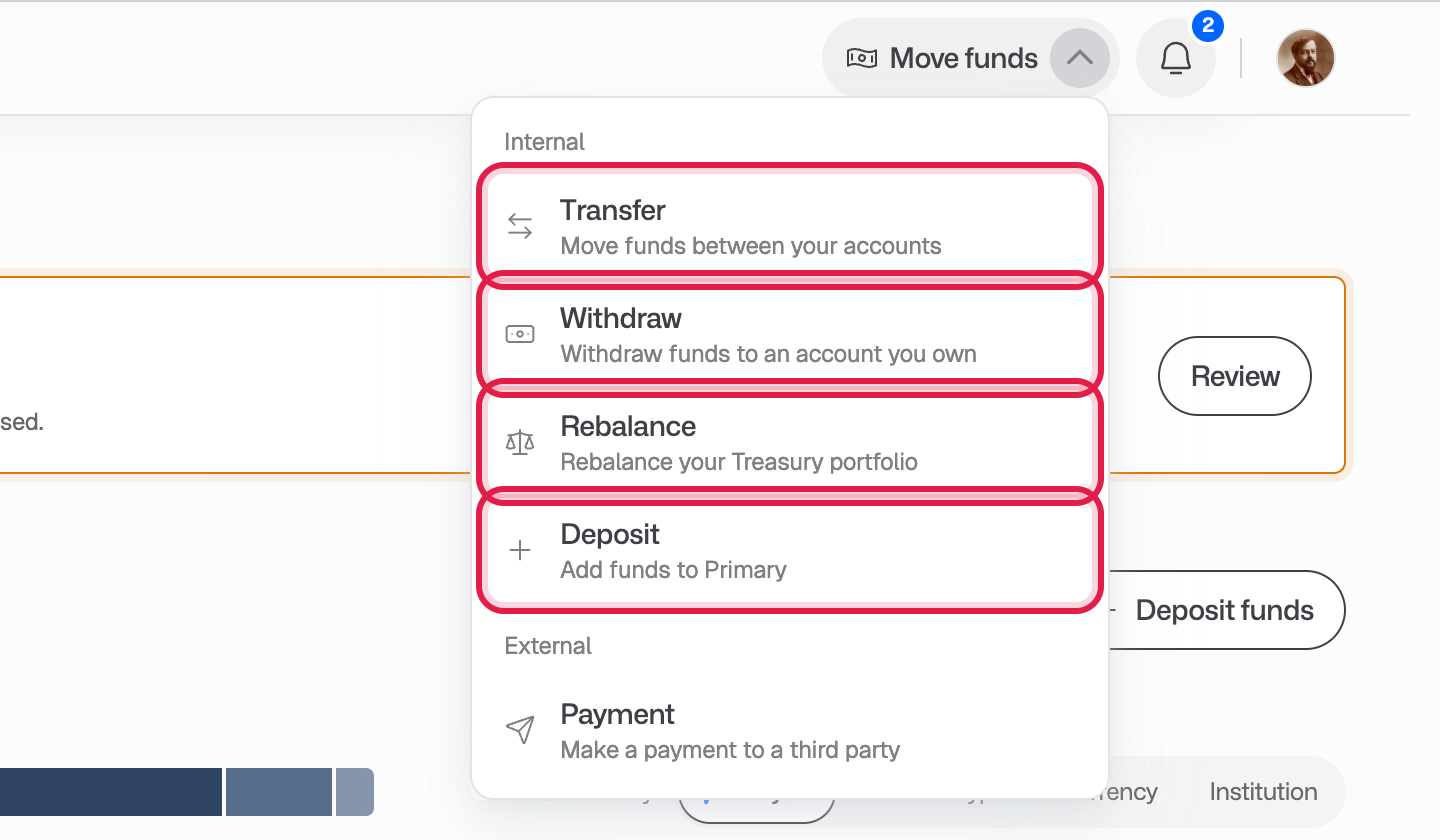
Click Browse products on the Treasury page or the Accounts page. Choose a product, pick the business entity, read and acknowledge the product documents, and submit. Some accounts open straight away. Others go through an application with the provider, and you will see a task on your dashboard until the account is ready to use.
What is an allocation?
An allocation is how your cash is split across your Treasury accounts. Setting a target balance for each account lets you balance liquidity against yield to match your funding needs.
How do I change my allocations?
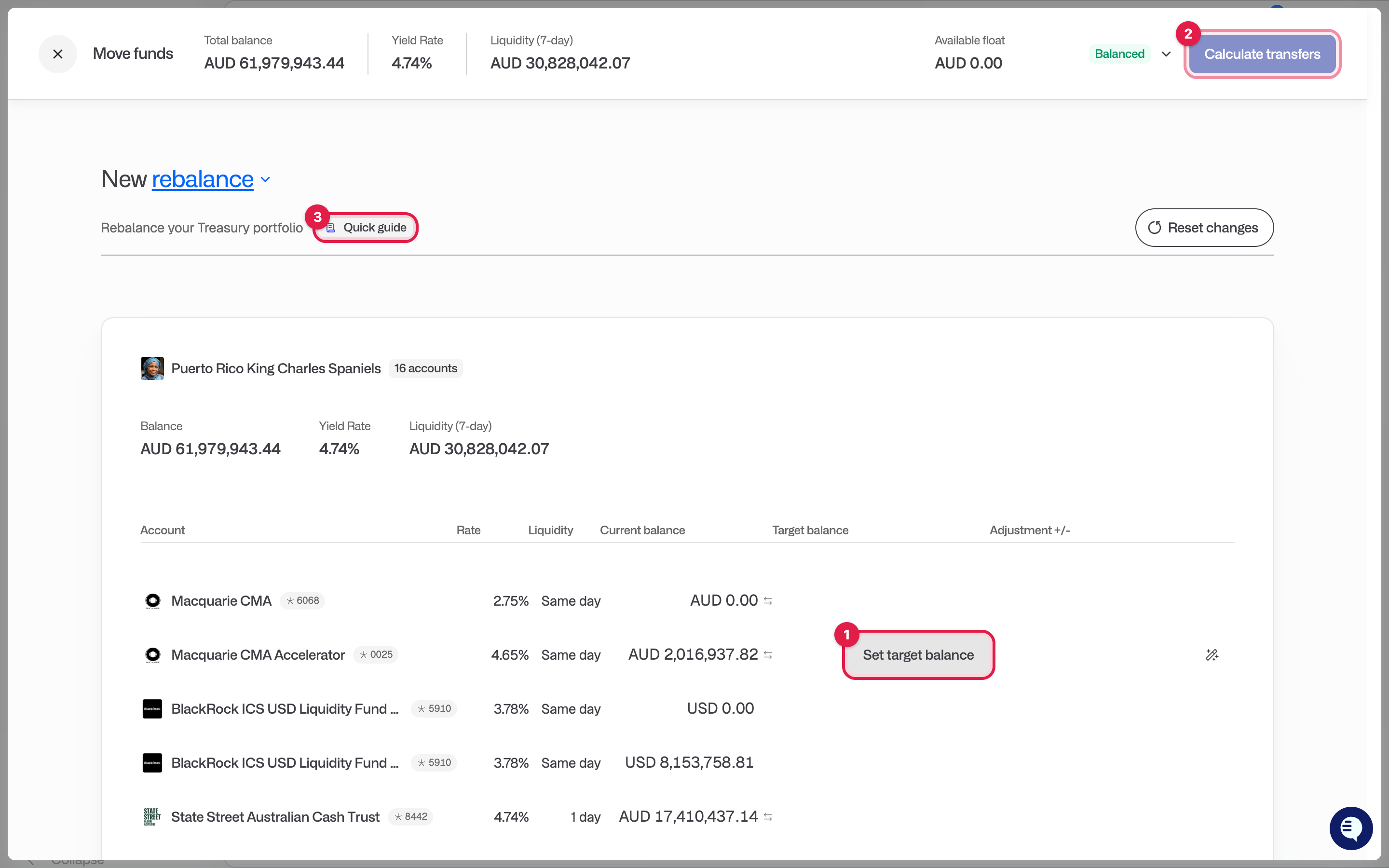
Click Manage allocations on the Treasury page. This opens the Rebalance screen.
Hover over an account and click Set target balance. Term deposits cannot be adjusted here.
As you change targets, the Available float at the top shows whether your portfolio is in Surplus, Balanced or Shortfall. Every dollar has to be allocated before you can continue, so the float needs to be zero.
Click the magic wand on any row to balance the remaining float into that account.
Click Calculate transfers to see the transfers Primary will make, then Confirm and submit.
Click Reset changes to start again. There is a Quick guide button on the screen if you get stuck.
How do I withdraw from Treasury?
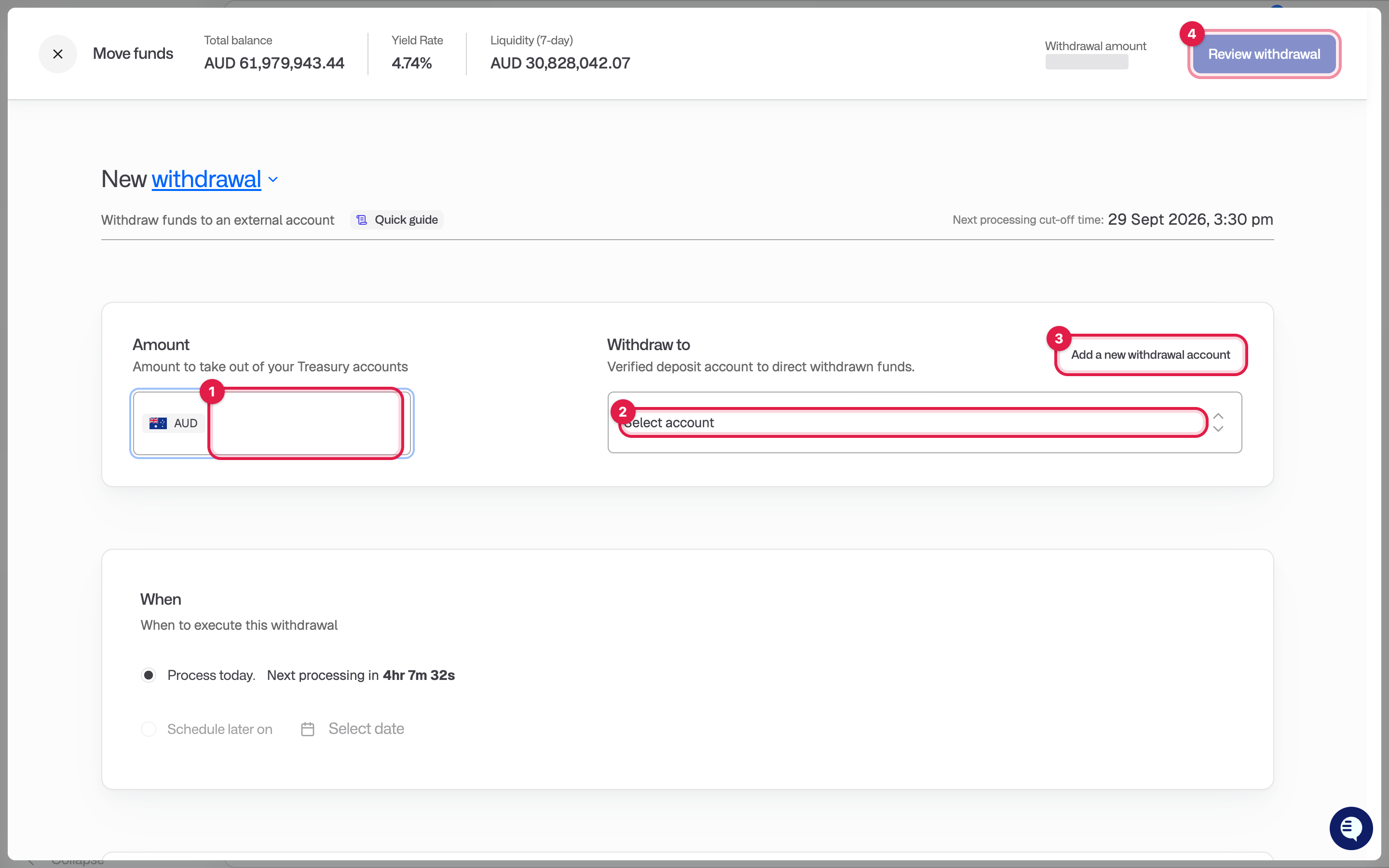
Click Move funds in the top bar and choose Withdraw. You can also click Withdraw next to any withdrawal account on the Payees page.
Enter the amount.
Choose the account to withdraw to. This must be a verified withdrawal account your organisation owns. To add one, go to Payees, then Add withdrawal account under Your withdrawal accounts. Primary Operations reviews new withdrawal accounts before they can be used.
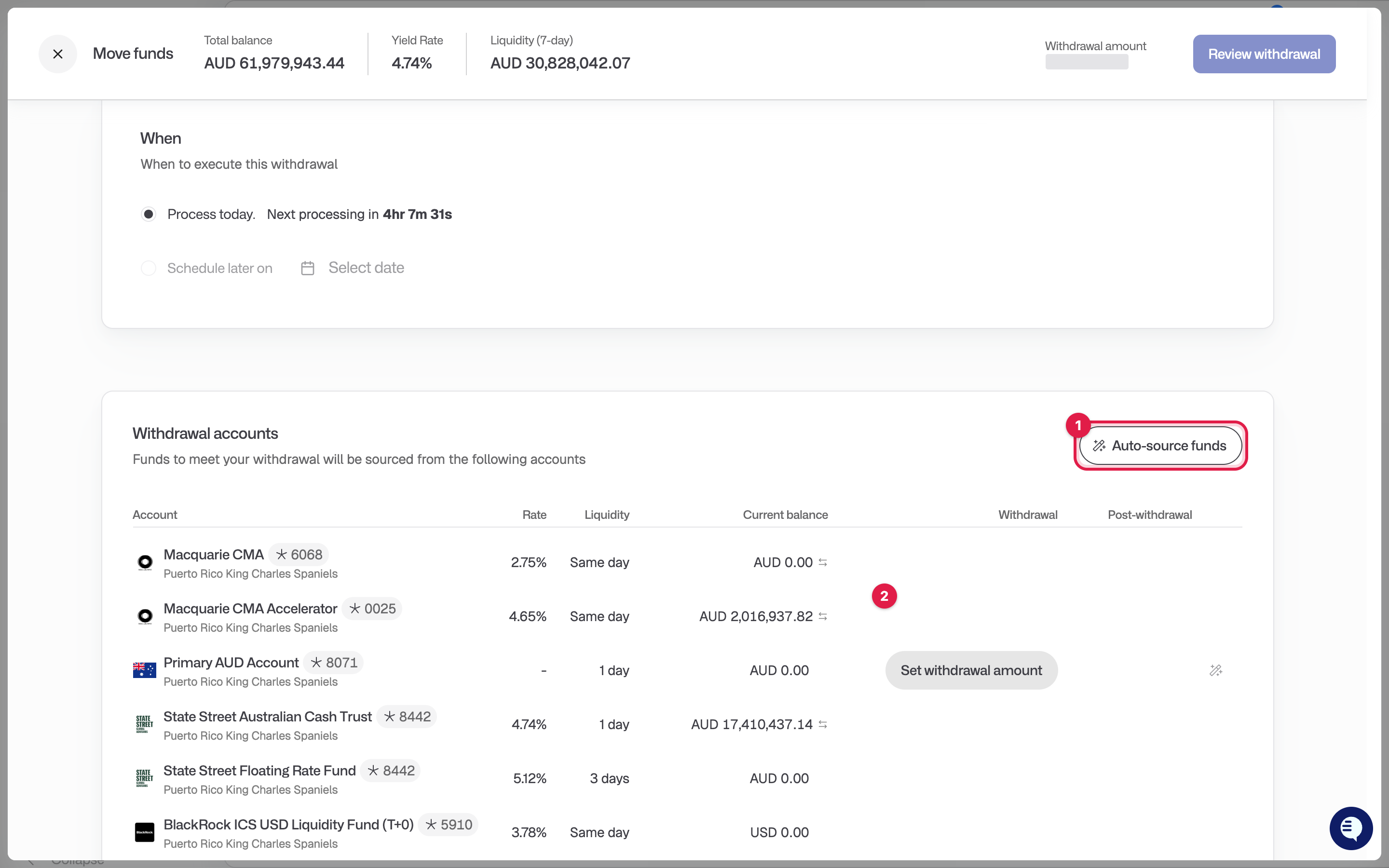
Choose which Treasury accounts to fund the withdrawal from. Set an amount per account, or click the magic wand (Auto-source funds) to draw from the accounts in the order they are listed. The screen shows any Excess or Shortfall against the amount you entered.
Click Review withdrawal, check the details, then Submit withdrawal.
If your organisation has an approval policy for withdrawals, the withdrawal waits for approval before it is processed. Approval policies are set in Settings, then Approvals. You can follow progress on the Transfers page.
State Street accounts: these require a minimum balance of $15,000 to stay open. Withdrawing below that returns the whole balance to you and means going through account opening again.
How do I keep funds optimised?
Review your allocations after large deposits or withdrawals so your cash still meets your liquidity needs. To automate it, go to Automations. An Auto sweep moves excess cash out of an account once it passes a threshold, and an Auto top-up keeps an account above a minimum. If you would like help deciding on allocations, book a call with us: [book a call link].
What has happened to payouts?
Payouts are now called withdrawals. You may still see the word payout in a few places, such as notification settings and transaction types. It is the same process with the same approvals.