Generating an Airwallex API key for use with Primary
Last updated: May 13, 2026
Primary supports direct connections between your Airwallex account(s) and your Primary instance. If you have multiple accounts, or multiple entities onboarded to Airwallex, you'll need to generate multiple API keys for full visibility of your accounts in Primary.
Primary requires READ-ONLY access to your Airwallex accounts. We will never ask you to share your API keys outside of the Primary portal.
Do not use the default API keys in the Airwallex developer dashboard. You need to generate new, "scoped" API keys for use in Primary. This is more safer and more secure for your organisation.
Generating your API key in the Airwallex portal
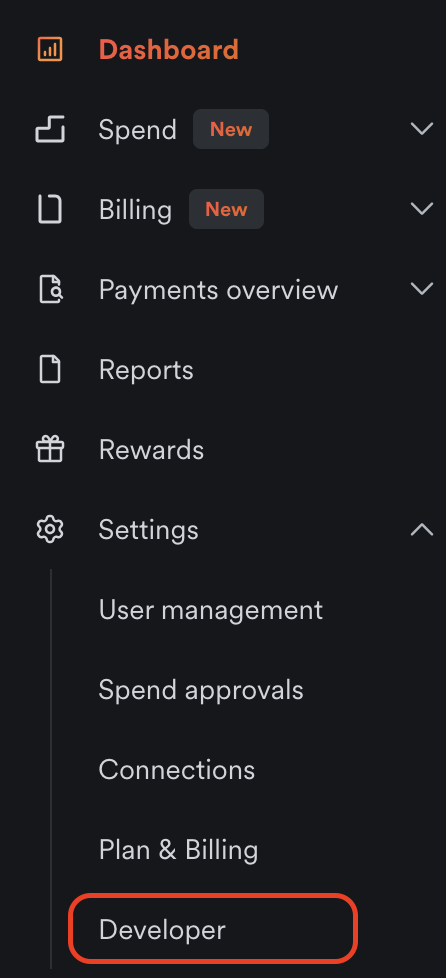
Open the “Developer” section from your Airwallex dashboard. If you can’t see this, please ensure you have the “Developer” role. This can be assigned by an admin in the “User management” section.
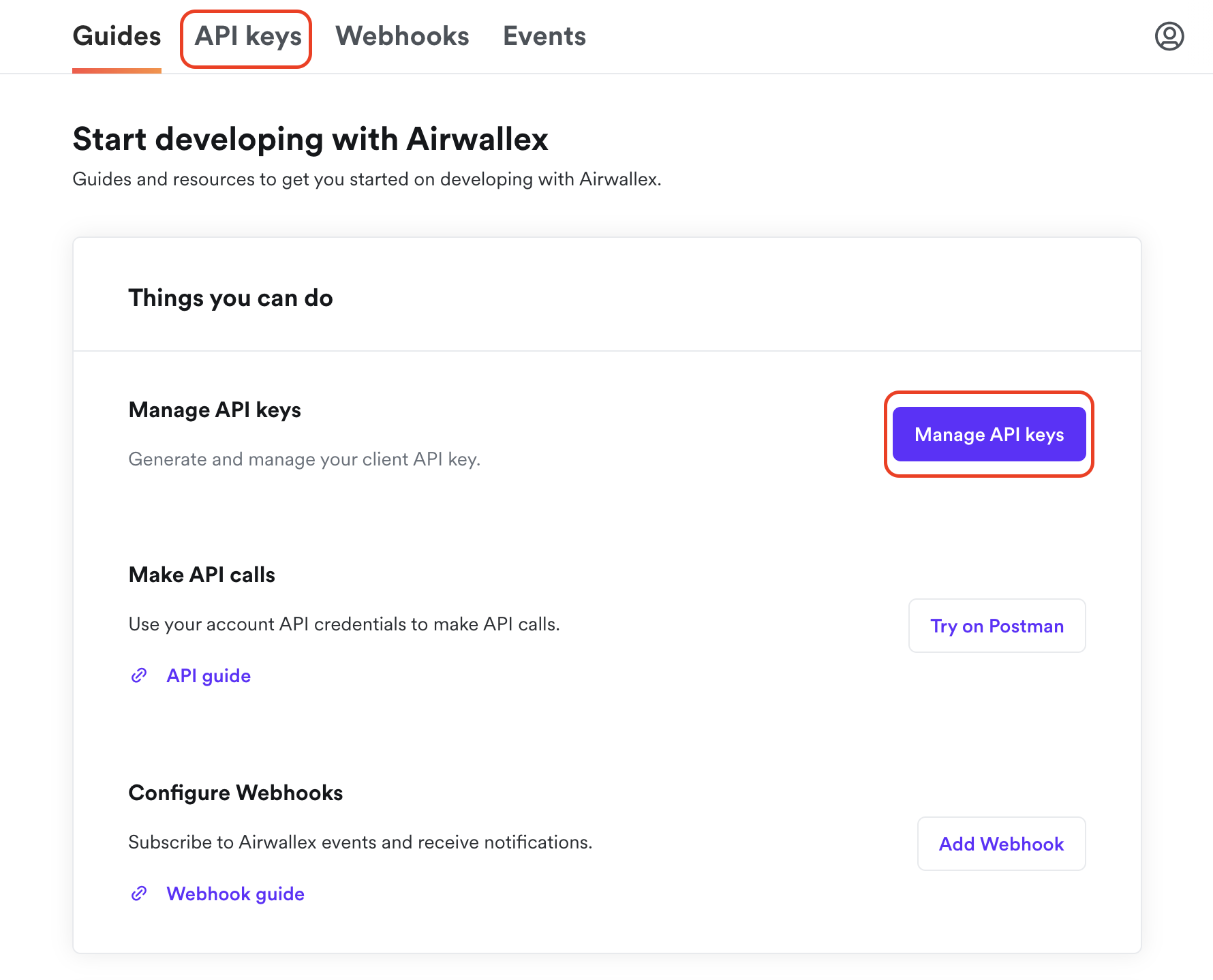
Select “API keys” from the top ribbon, or “Manage API keys” from the getting started menu
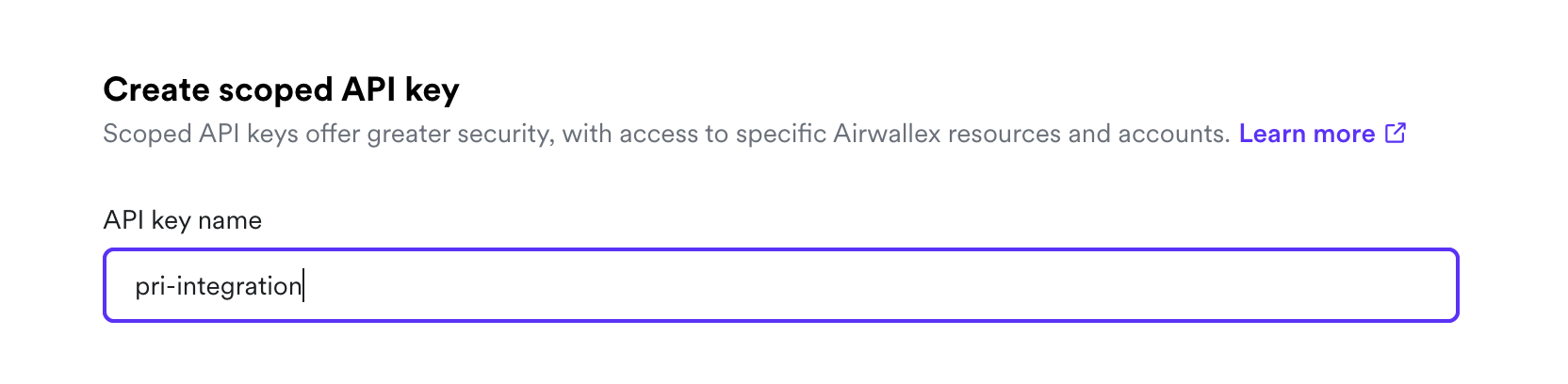
Select “New scoped API key”

Give your API key a name so that you can remember what it’s for
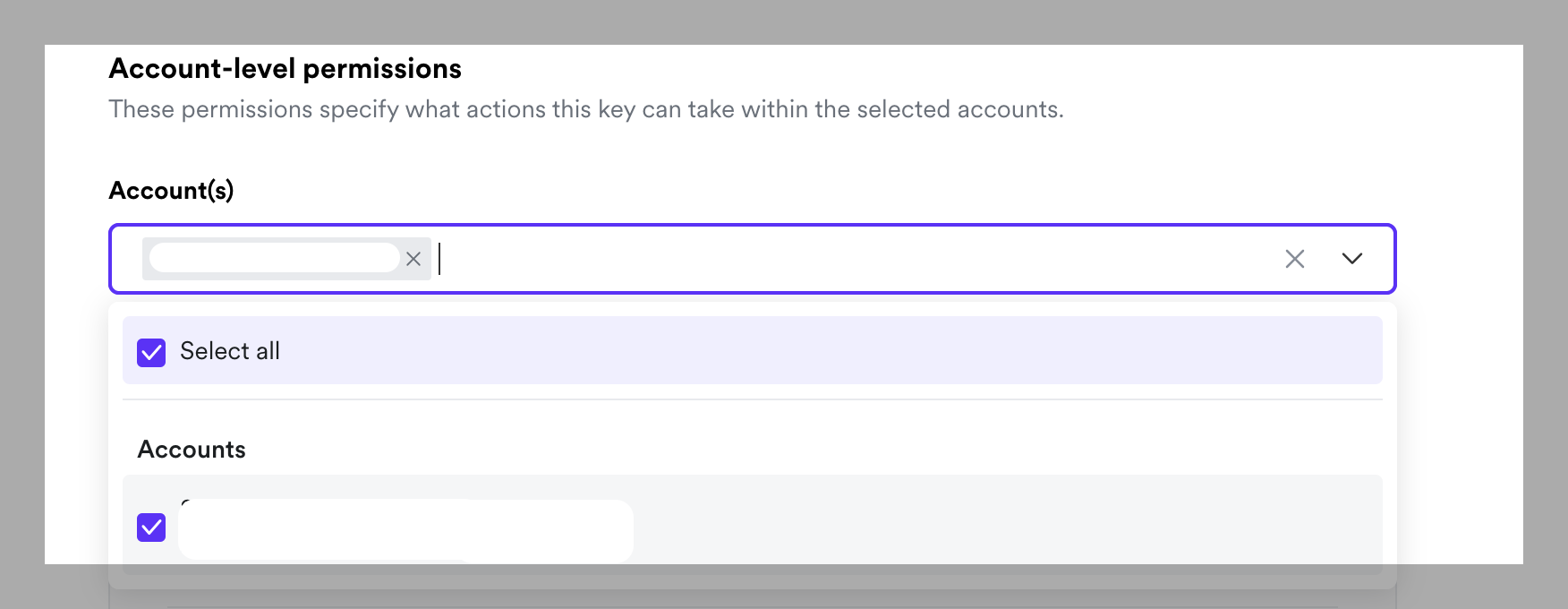
Scroll down past “Organisation-level permissions” to “Account-level permissions”.
Select the accounts you’d like Primary to read data from. We suggest selecting “Select all”, but you can also manage this selectively if you’d prefer to have a narrower range of Airwallex accounts visible in Primary.
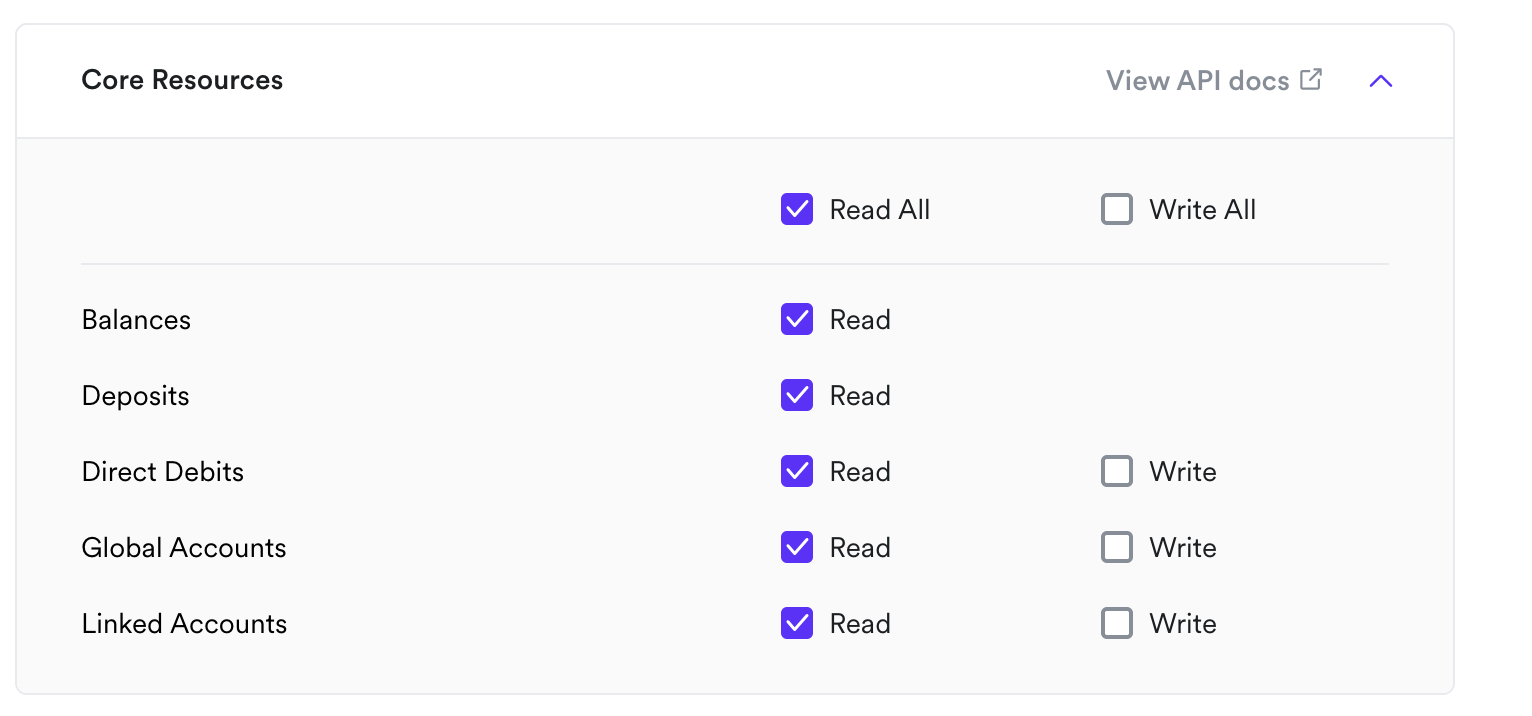
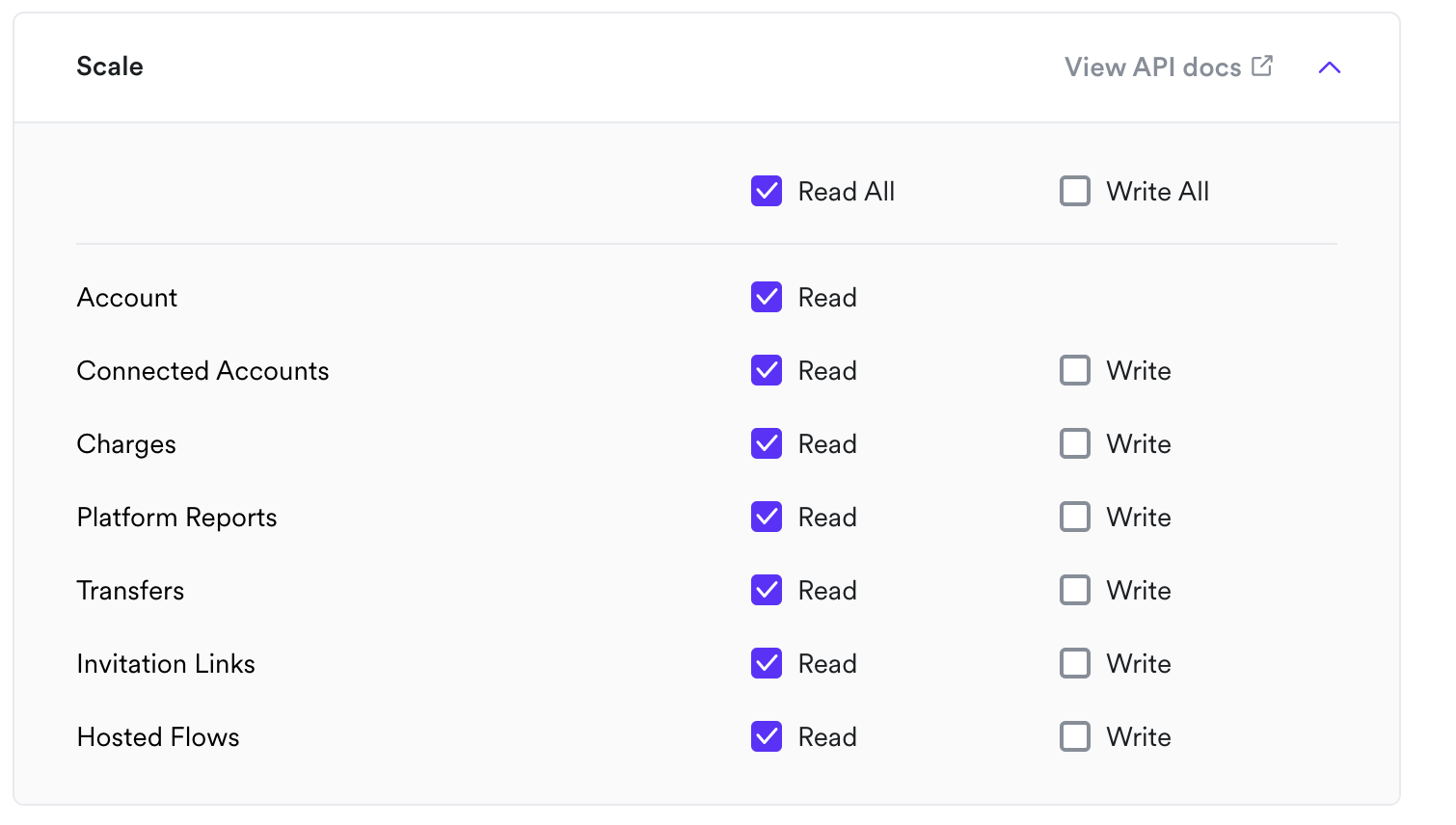
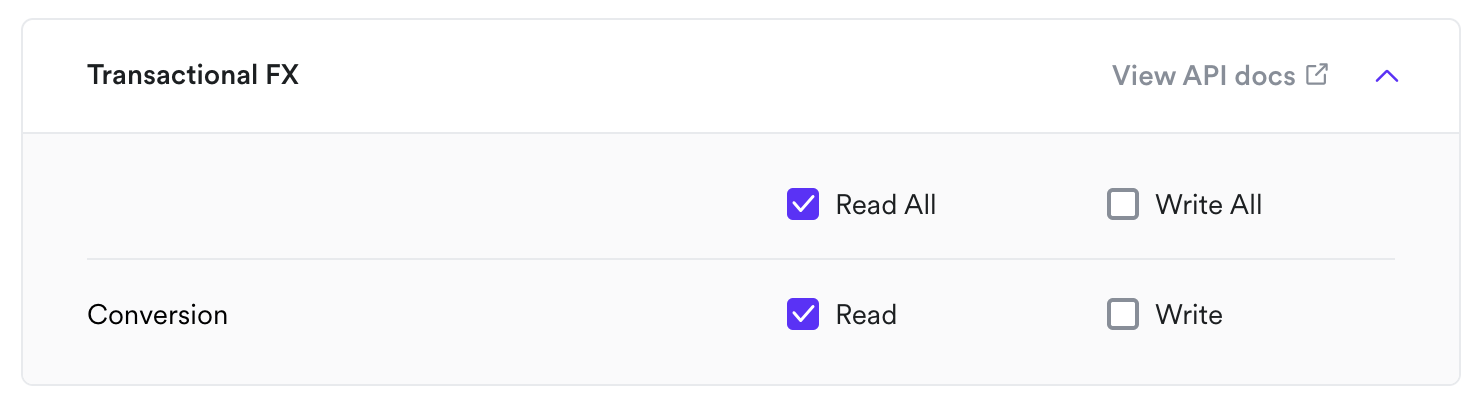
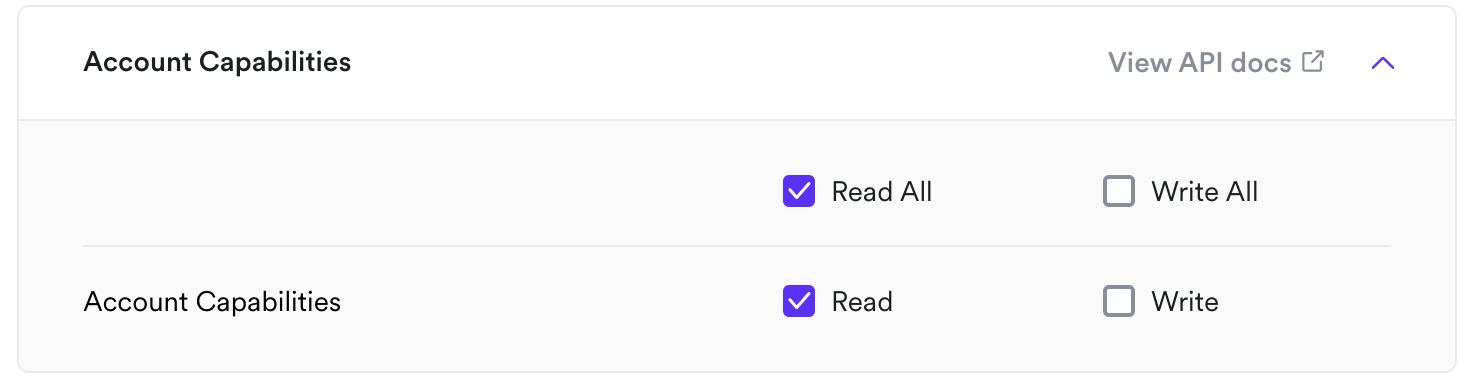
Select the access (or “scopes”) the API key should have access to.
Primary requires “Read” access to your accounts in order to surface data accurately. Please ensure each of the “Read” scopes is selected to ensure the integration functions as intended
Adding your key to Primary
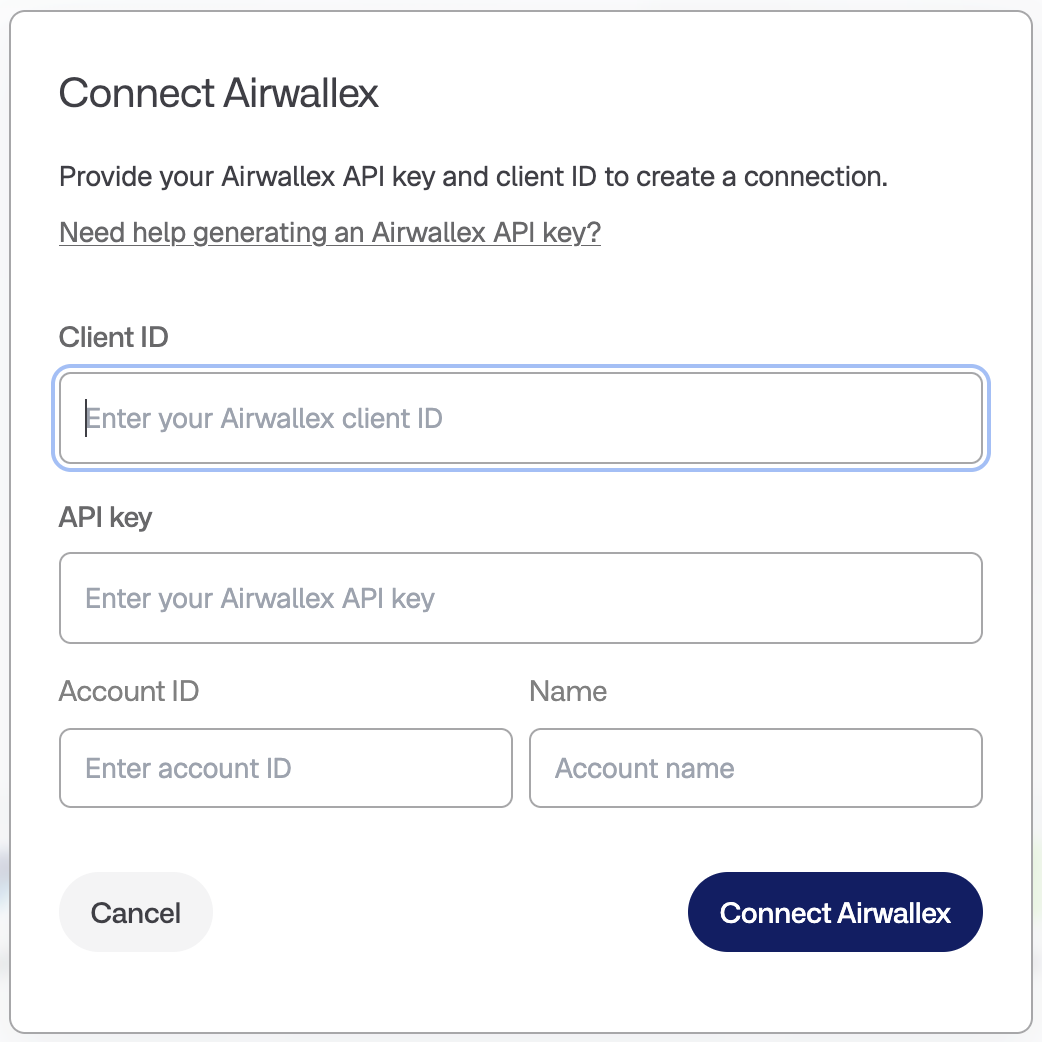
When adding your keys to Primary, ensure you use the Client ID generated by Airwallex after you have generated the API key. This will generally be a sequence of 22 alphanumeric characters. Do not enter your email address as the Client ID.
Enter the API key from Airwallex in the API key field. This is a sequence of 96 alphanumeric characters.
Enter your account ID. This will generally be in the format "acct_..." followed by 22 alphanumeric characters. This may also include some special characters, like "-" or "_".
Enter the business entity name for this API key in the "Name" field. Note that an API key may correspond to many currency accounts, so just use the overarching entity name here.
Do you have multiple Airwallex organisations / entities set up?
You will need to generate a separate API key for each organisation. You cannot access all accounts across organisations using a single API key.